Chrome extension for faster resume tailoring
Capture a job title, company, and visible job description from a posting, then bring that context into Hirable to generate a tailored resume draft.
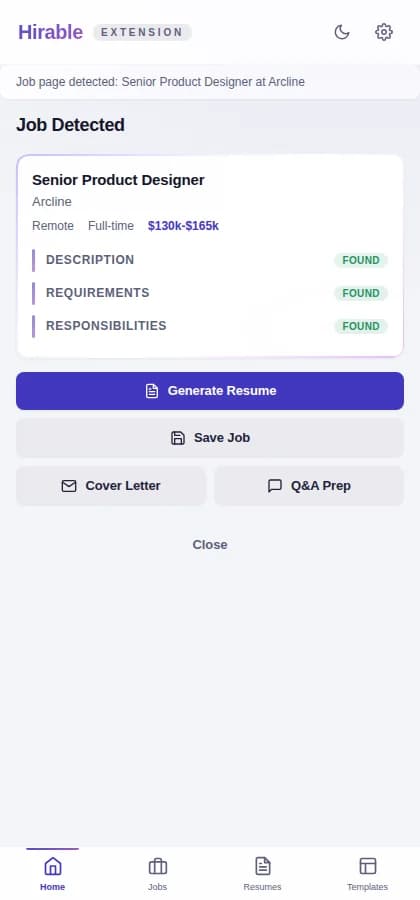
Open a job listing
Browse to the role you want to target.
Capture the posting
Use the extension to bring visible job details into Hirable.
Generate in the dashboard
Use the captured job context with your saved profile and selected template.
Built for job-post capture
The extension reduces copy-and-paste friction when you find a role you want to apply for. It captures visible job details and sends them into the resume-generation flow.
- Capture the role title, company, and description text.
- Review the captured details before generating.
- Use the dashboard flow for the final resume draft.
Privacy-conscious by workflow
The extension is optional and action-based. If you prefer not to use it, you can still paste a job description or use a job URL directly in Hirable.
- The extension captures job details when you trigger it.
- Manual job entry remains available.
- Privacy details are available on the public privacy page.
Questions
Practical answers for using Hirable in this workflow.
Do I need the Chrome extension to use Hirable?
No. The extension is optional. You can also paste the job description or add a job URL in the dashboard.
Where can I install it?
The extension is available in the Chrome Web Store from the install link on this page.